Installing SteamCMD
Server
For this to work, we will be using SteamCMD - here’s how to set it up. We will be using Ubuntu Server 26.04 for this portion of the guide. From your terminal, enter these commands - to install SteamCMD, the multiverse repository and x86 packages must be enabled.
Ubuntu
sudo add-apt-repository multiverse; sudo dpkg --add-architecture i386; sudo apt update
sudo apt install steamcmd
For other distributions, please refer to the instructions for your specific setup
Setup
You need a place to store the server - create a new directory, for example corekeeper
mkdir ~/corekeeper
Start installing the server from SteamCMD using this command:
/usr/games/steamcmd +force_install_dir ~/corekeeper +login anonymous +app_update 1963720 validate +quit
This will tell SteamCMD to start installing the corekeeper server inside of ~/corekeeper.
If you get
ERROR! Failed to install app '1963720' (Missing configuration), you should try adding+@sSteamCmdForcePlatformType linuxto the command:
/usr/games/steamcmd +@sSteamCmdForcePlatformType linux +force_install_dir ~/corekeeper +login anonymous +app_update 1963720 validate +quit
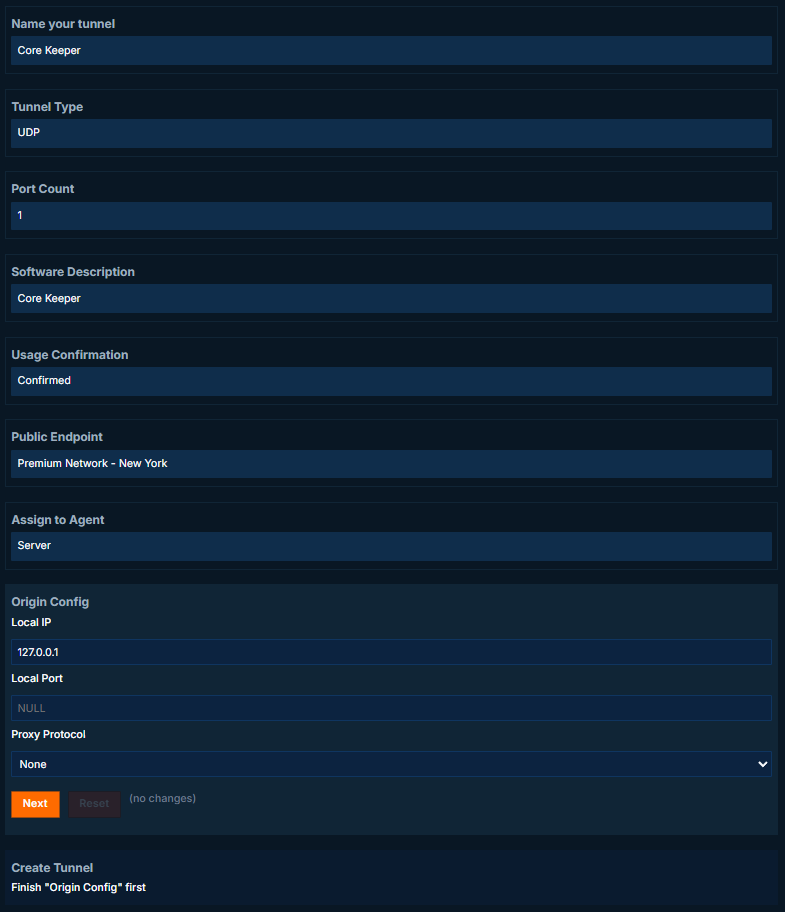
Create the tunnel
- Type: UDP
- Local IP: 127.0.0.1
- Port: NULL
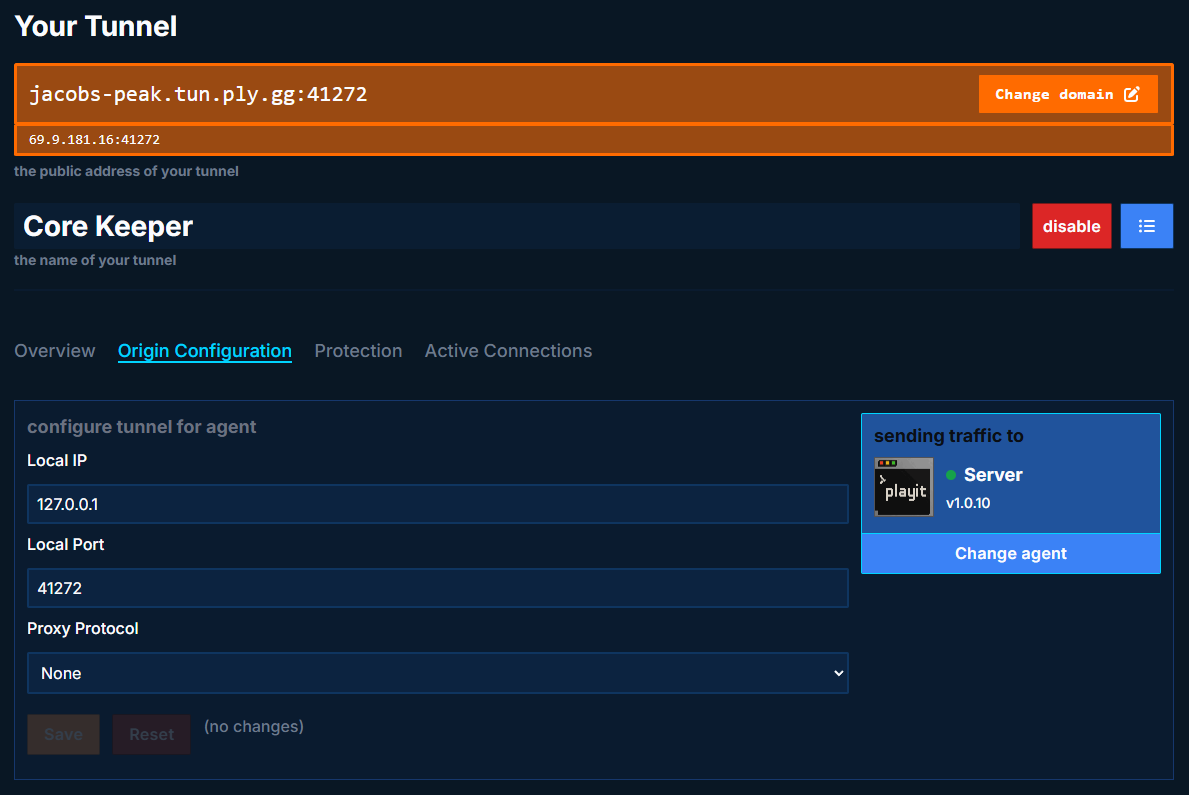
After the tunnel is created, set the local port to the tunnel’s public facing port (41272)
Test running the server
Go into the corekeeper folder, and run _launch.sh. Set the -port to the port on the tunnel.
sudo bash _launch.sh -password playit -worldname "playit.gg" -port 41272
For first launch, it will download dependencies required to run the server.
Notes
No GameID found. Creating new GameID for the session.

Allowed platforms: All
Steam GameID: vcuZVam7DKibEH3
Local IP: 0.0.0.0
Public IP: 32.64.128.254
Port: 41272
Password: playit

Paste to ip-field in "join via IP" menu to easily fill all values
32.64.128.254;41272;;playit
The IP address in this block is your ISP’s address, not playit.gg. Please check your tunnel information for the IP address.
Joining the game
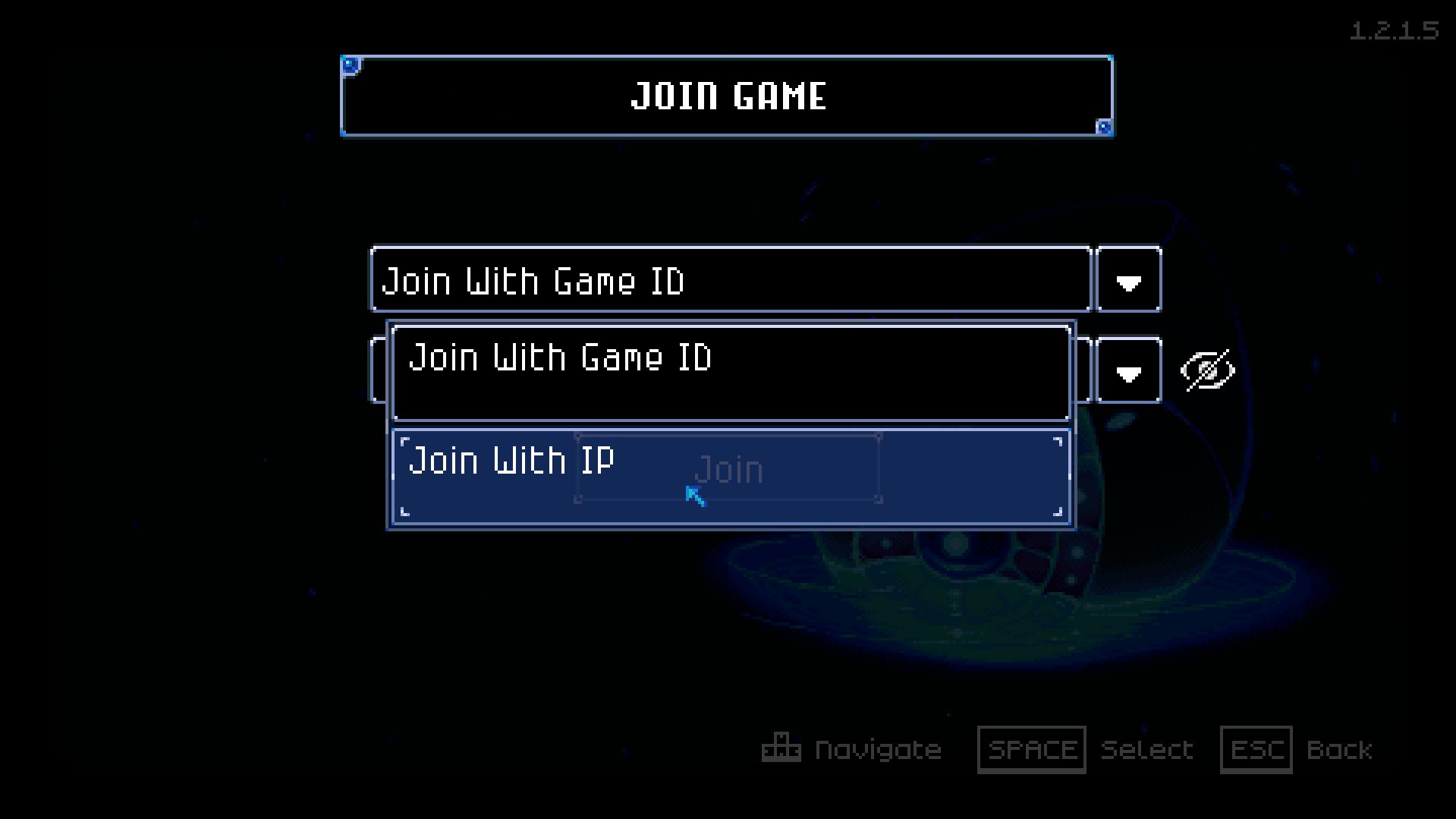
You’ll have to join with IP. Do this by entering the dropdown menu.
Paste the tunnel’s IP address and port. Enter the server’s password.
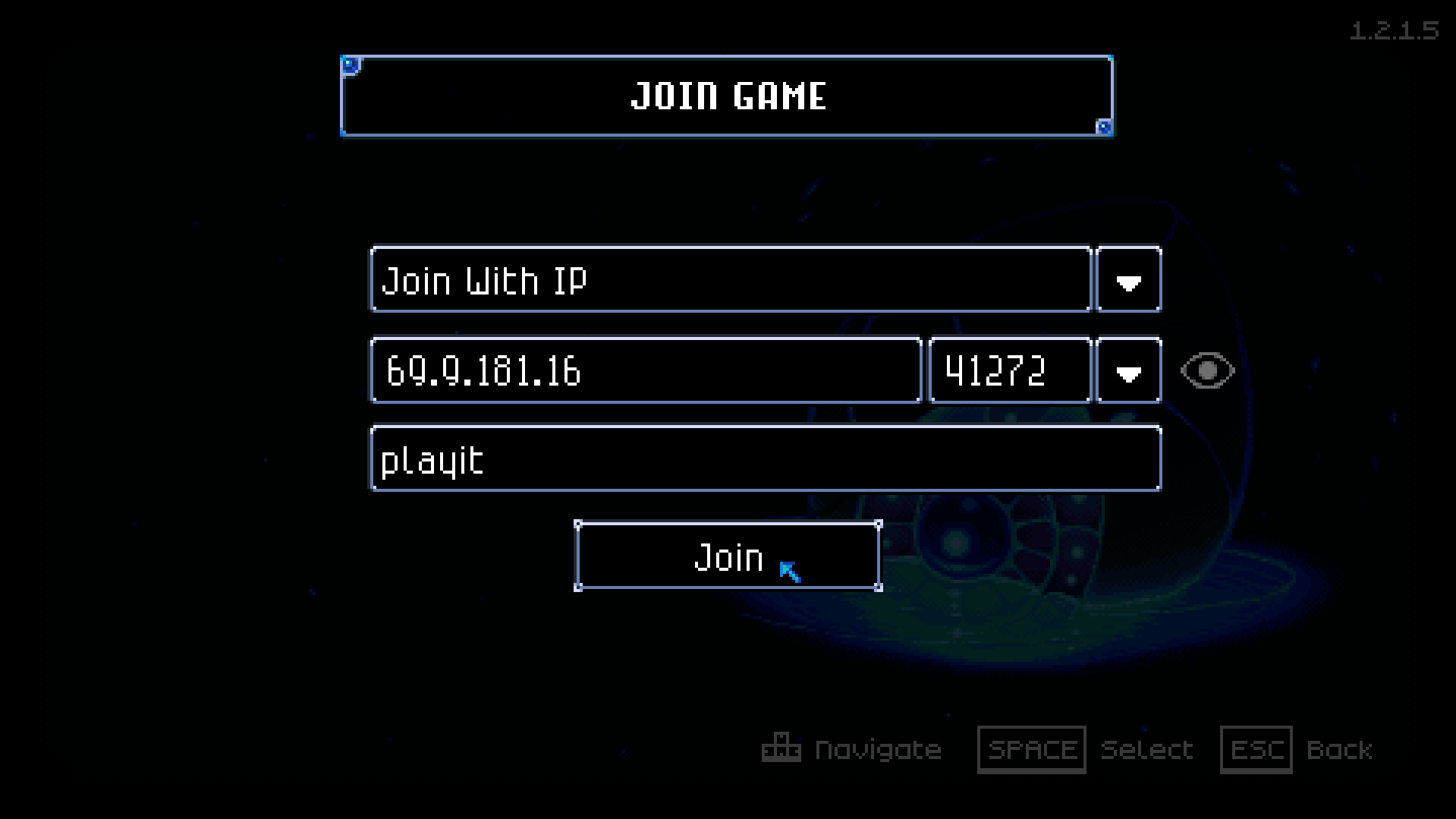
After waiting a few moments, you should be loaded into the server.